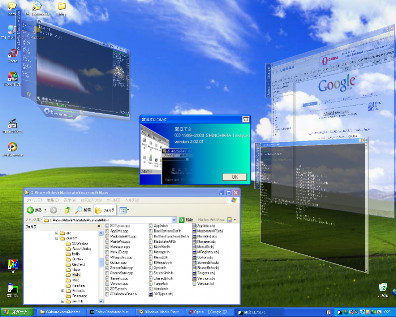
2. Run the exe file to launch the program
3. Press CTRL + W to send the current window into 3D mode
4. CTRL + A sends it back to 2D mode
5. Click and drag with the left mouse button to move windows
6. Right Click and drag to Rotate Windows
7. There You Have It!
Source : /vista-on-xp.blogspot.com/


No comments:
Post a Comment